In the digital age, the ability to record your screen has become an essential function. Whether you're a content creator, a gamer, a teacher, or just someone who wants to share a problem with tech support, capturing what's happening on your phone is invaluable. While some devices have limited built-in screen recording, third-party apps like "Screen Recorder" offer a vastly superior experience with a wealth of professional-grade features.
The Screen Recorder app, developed by MEER LIMITED, has become a massive success on the Google Play Store, boasting over 100 million downloads and nearly 800,000 ratings. Its popularity speaks to its reliability and the comprehensive toolset it provides. This app goes far beyond basic recording, offering a studio-like suite of features that allows users to capture, edit, and share their content with remarkable ease and quality.
High-Definition Recording at Your Fingertips
The cornerstone of this application is its commitment to quality. Screen Recorder doesn't just capture your screen; it captures it in stunning high definition, giving you professional-looking results. The app gives you granular control over your recording settings to ensure the final product meets your specific needs.
Users can easily adjust the key parameters of their video, including:
- Resolution: Record in crisp 1080p HD for clear, detailed footage.
- Bitrate: Set the bitrate up to 16Mbps to find the perfect balance between file size and visual quality.
- FPS: Capture ultra-smooth motion at up to 120 frames per second (FPS), which is a fantastic feature for recording fast-paced gameplay.
This level of customization ensures that your recordings are optimized for their intended purpose, whether that's sharing on social media, uploading to YouTube, or creating a detailed tutorial.
Mastering the Art of Screen Recording
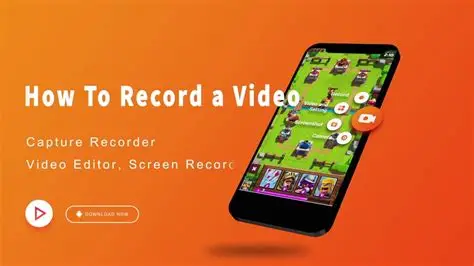
Screen Recorder is designed to be as unobtrusive as possible, allowing you to record without interrupting your workflow. One of its most praised features is the intuitive floating control ball. This small, movable icon sits on top of other apps and provides quick access to all recording functions. With a single tap, you can start, pause, or stop recording, take a screenshot, or even mark a key moment in your footage.
This seamless control is a major advantage, especially when recording complex activities like gaming. You don't need to leave your app or navigate through menus; everything is controlled from a single, convenient overlay. This attention to user experience is what makes it a top choice for recording dynamic content where timing is critical.
A Studio in Your Pocket: The Built-in Video Editor
The app's functionality doesn't end when you stop recording; it also includes a robust, built-in video editor. This eliminates the need for a separate editing app, allowing for a smooth and efficient workflow from capture to sharing. The editor provides the core tools you need to polish your content:
- Trim & Cut: Remove unwanted sections from the beginning or end of your video.
- Crop: Cut out distracting status bars or unwanted areas from the frame.
- Rotate: Switch the orientation of your video between landscape and portrait modes.
This all-in-one approach makes it simple to create a clean, final video ready for sharing in just a few taps.
Engaging Your Audience with Face Cam and Drawing Tools
Screen Recorder includes features that can significantly enhance the production value and engagement of your videos. Two standout features are the Face Cam and the real-time drawing tools:
- Face Cam: This feature allows you to overlay your face from the front camera onto the screen recording. It’s perfect for adding a personal touch to tutorials, game commentary, or reaction videos, helping you connect with your audience on a deeper level.
- Drawing Tools: The app provides a built-in paintbrush tool that lets you draw and annotate on the screen in real-time. This is an exceptional feature for educators and presenters, allowing them to highlight key points, draw diagrams, or explain concepts directly on the recording.
These creative tools are what set this app apart from basic recorders, turning it into a platform for content creation rather than just a utility.
Audio, Sharing, and Important Considerations
A good video needs good audio, and Screen Recorder supports recording both internal audio (like game sound) and external audio (from your microphone). This gives you the flexibility to capture game sound, add voiceover commentary, or do both simultaneously. You can share your creations directly from the app to various social media and messaging platforms.
However, the app's description is transparent about important legal and technical limitations. It warns that some copyright-protected apps may block recording or screenshots. It also emphasizes that users must have the rights to record and share the content they are capturing, reminding users to respect copyright and privacy laws. This is a responsible stance that protects both the developer and the user.
User Feedback and a Commitment to Improvement
With millions of users, feedback is a crucial part of the app's development. Many users praise its functionality and high-quality output. One user, for example, noted that it's particularly useful for phones where the default system recorder can't function due to low power settings, calling it "very useful."
The developer is active in responding to reviews. While some users have reported occasional issues, such as the recording stopping unexpectedly during long sessions, the developer provides detailed troubleshooting advice. The app is frequently updated, with its latest update focusing on "crash fixes and performance improvement," demonstrating an ongoing commitment to stability and user satisfaction.
The Verdict: A Comprehensive Solution for Every Recorder
Screen Recorder is a premier choice for anyone needing to capture their Android screen. It successfully combines high-quality recording with a user-friendly interface and a powerful built-in editor. The addition of the floating control ball, face cam, and drawing tools makes it a versatile application suitable for everything from creating high-end game montages to recording instructional videos. While users should be mindful of the permissions and copyright rules, this app stands out as a reliable and full-featured tool that delivers on its promises, making it an essential download for millions of users worldwide.